iTeach A companion for learning
For schools, tutoring centres and families

A learning companion
for every student

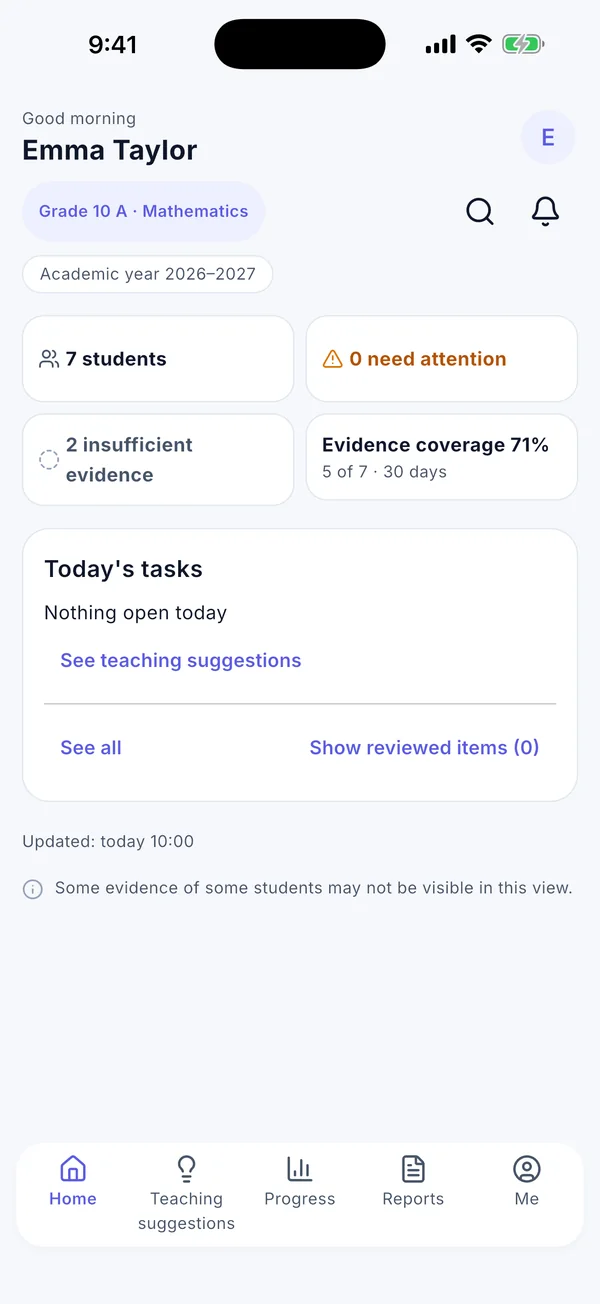
iTeach shows each student what to do next, and gives teachers, parents and school managers a clear, calm view of learning, so everyone can help at the right moment.

Download on theApp StoreComing soon onGoogle Play

Your school or centre creates your account; there is no public sign-up. Other download options

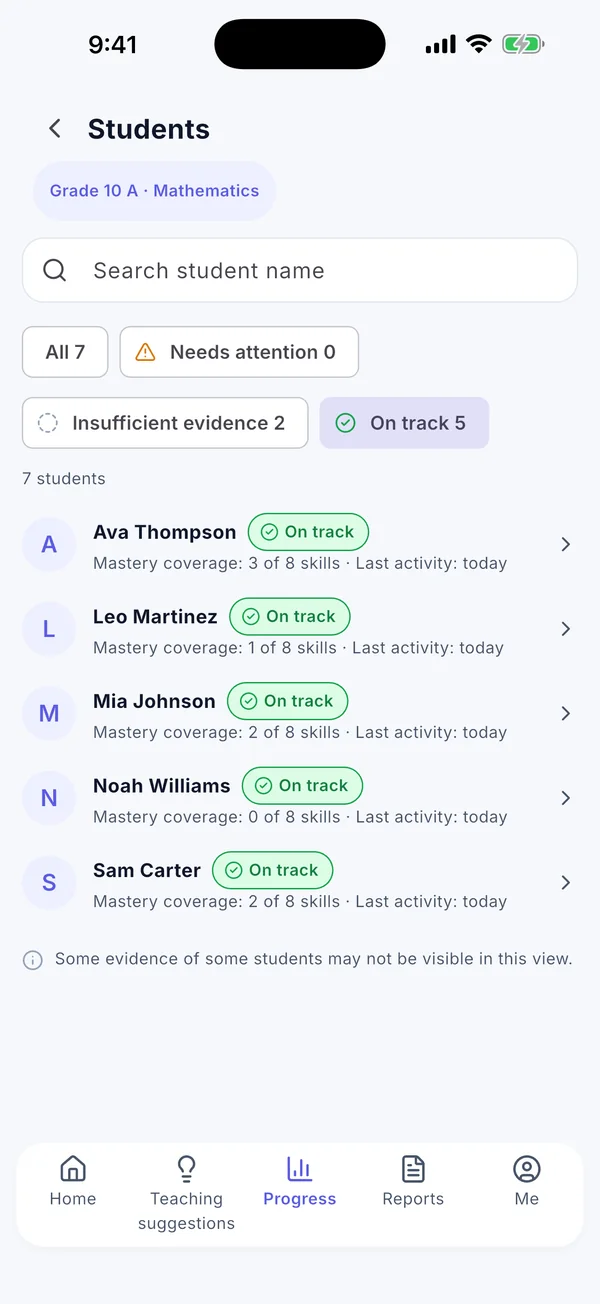
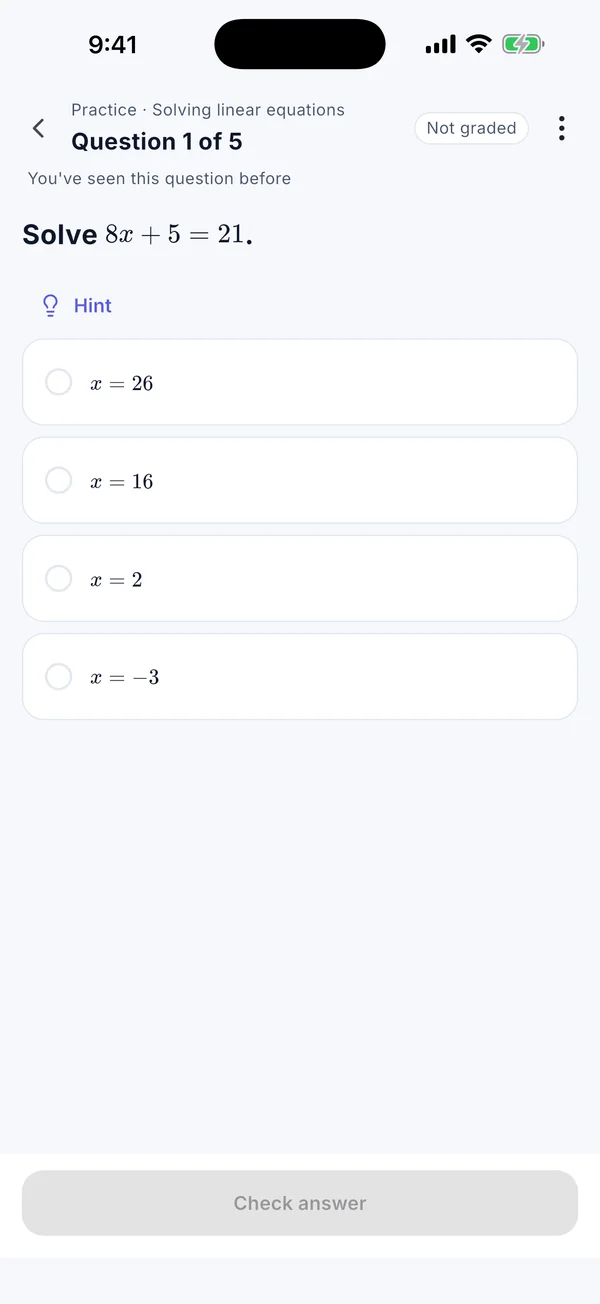
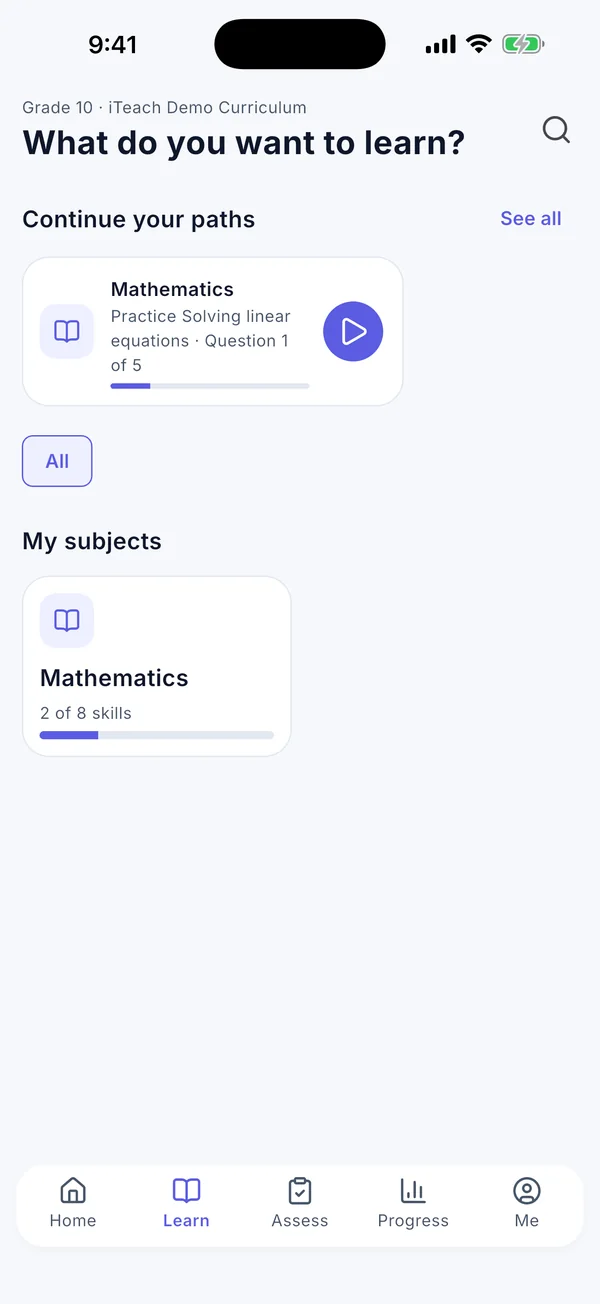
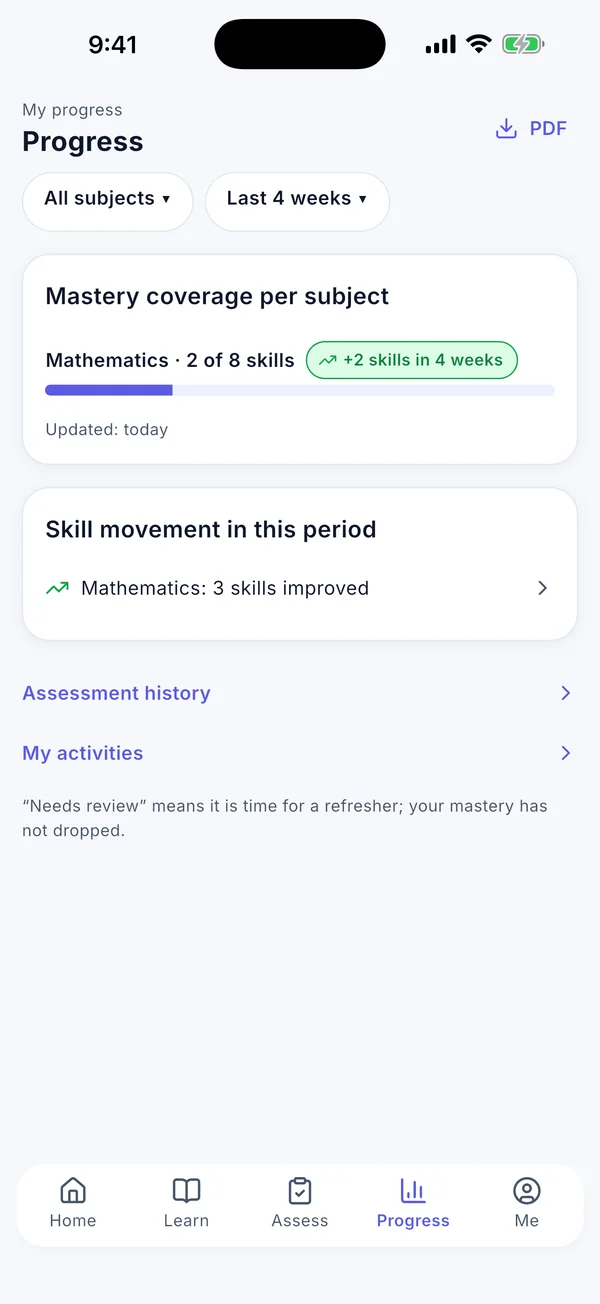
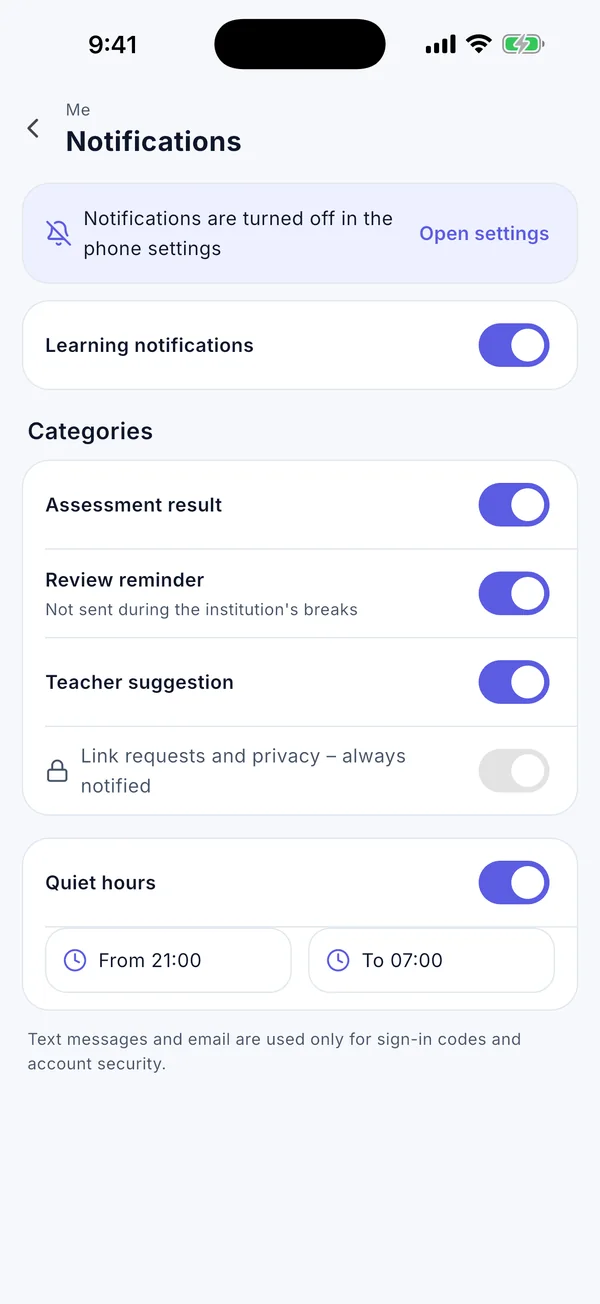
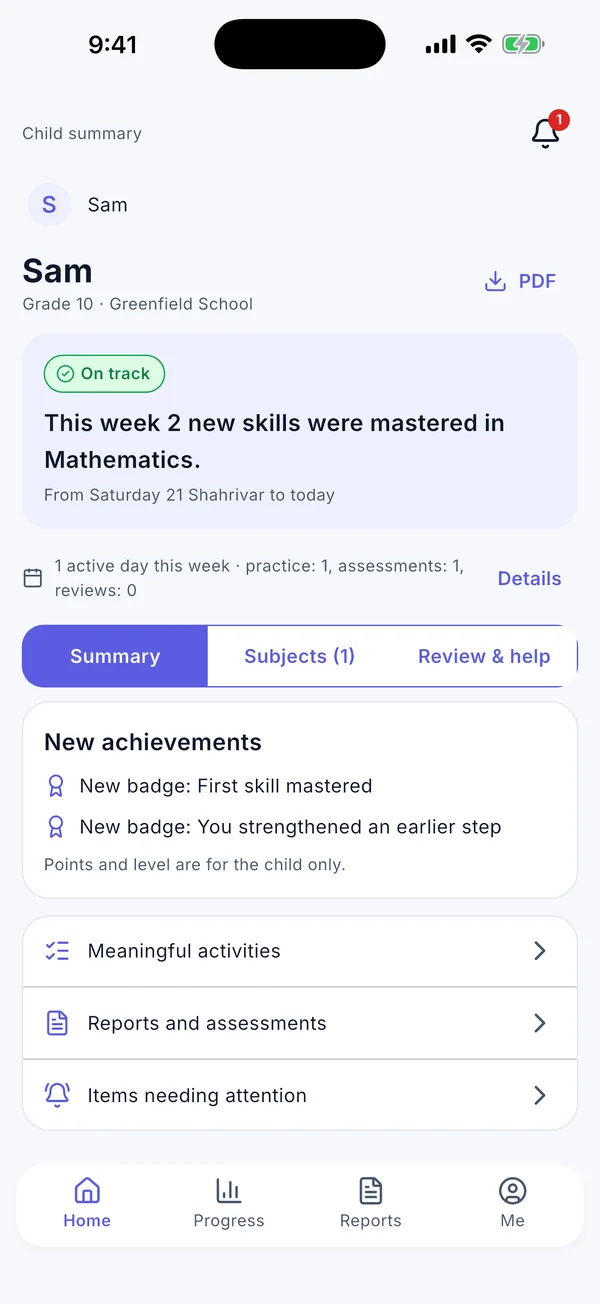
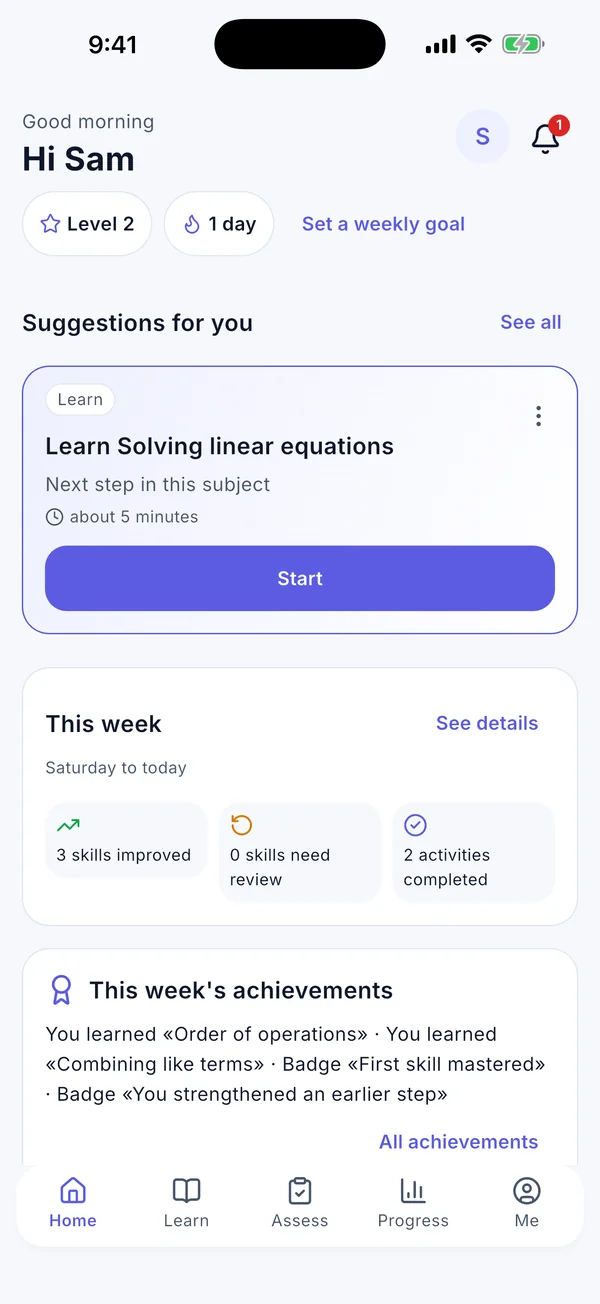
Pictures: the student home screen with one suggested next step, and the child summary for parents.

  • English, Arabic and Persian
  • Right-to-left ready
  • Android and iPhone
  • Web admin panel
  • Simpler view for children

In ten seconds

See iTeach

One app for everyone

Everyone around the student sees what helps them

Students, parents, teachers and school managers all use the same app. Each person sees only what their role allows.

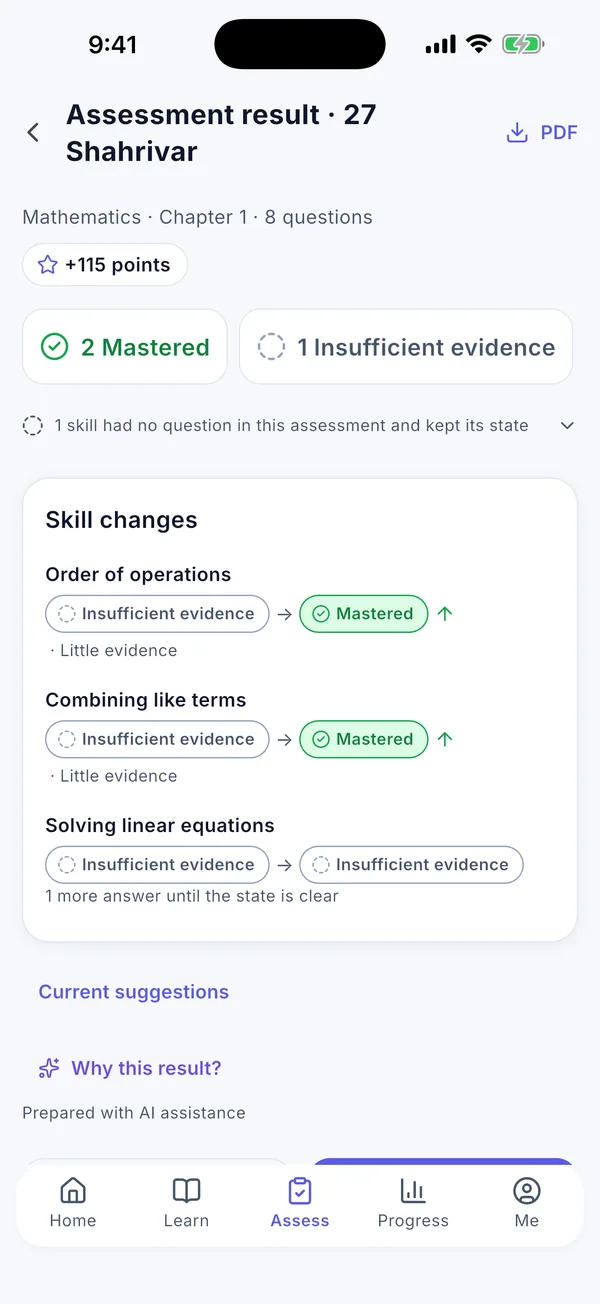
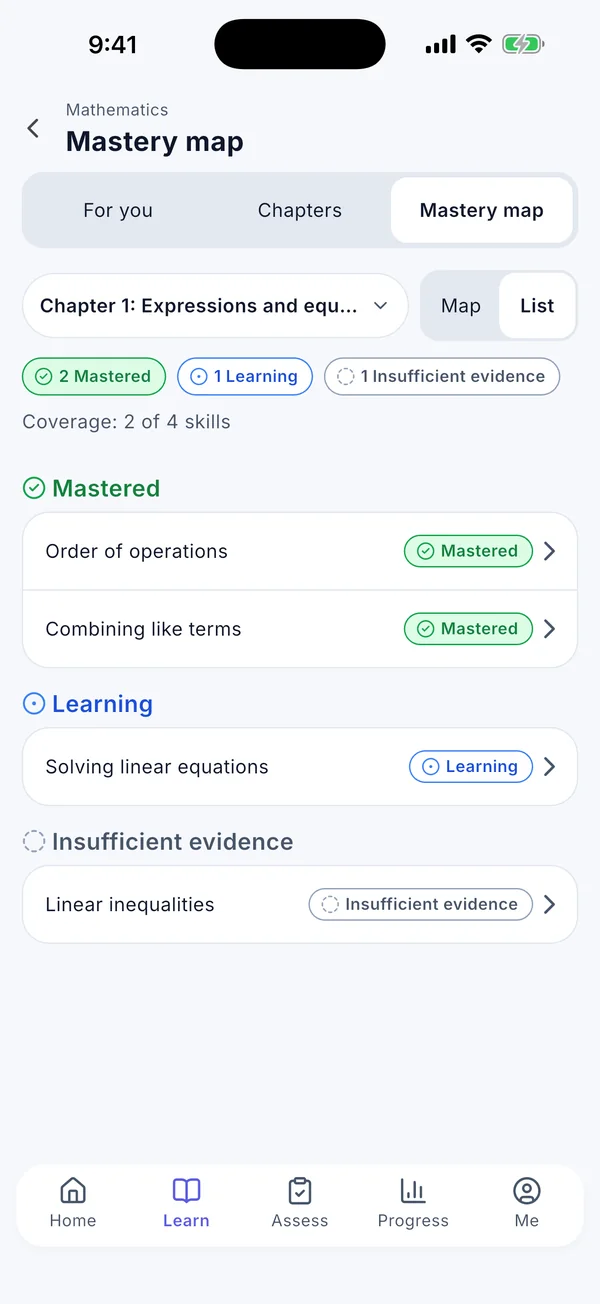
Mastery map for mathematics: skills that are mastered, still learning or with insufficient evidence
Students

Always know what to do next

  • Start with a short check-up that shows what you already know in each subject.
  • Learn with short lessons, one skill at a time, and practise with questions that match that skill.
  • A clear map of your skills: what you know well, what you are still learning and what needs review.
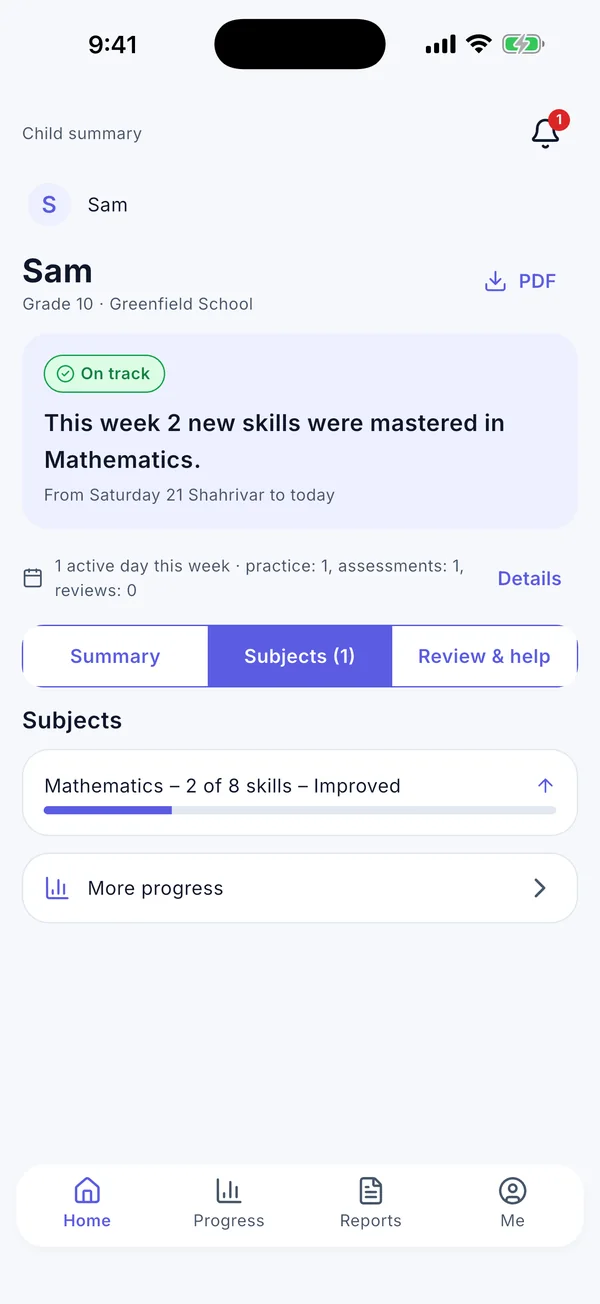
Child summary for parents: progress in each subject
Parents

A calm, clear view of your child’s learning

  • Your child’s progress in each subject, in plain words.
  • Regular reports about what went well and what needs attention.
  • A notification when a new report is ready or something needs your attention.
A teacher’s class list with the state of each student
Teachers

See who may need help, and why

  • Your classes and subjects, and how each student is doing on each skill.
  • Students who may need help, with the reason behind each item.
  • Send a practice or a short check-up to one student or a whole class.
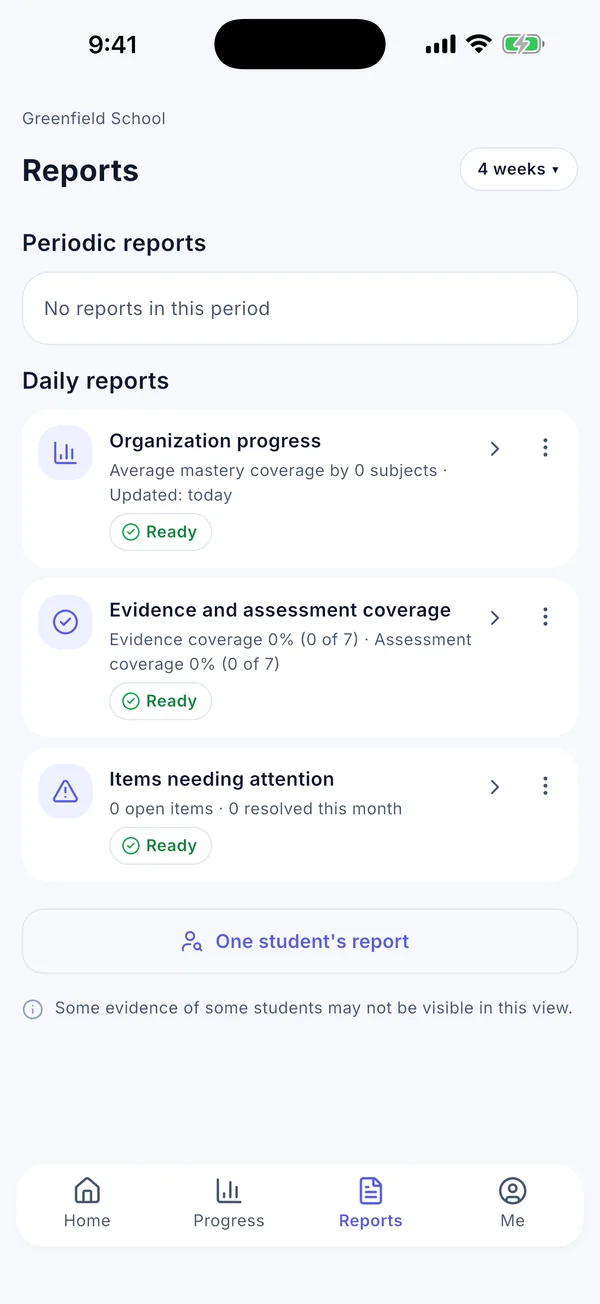
Periodic reports for the school
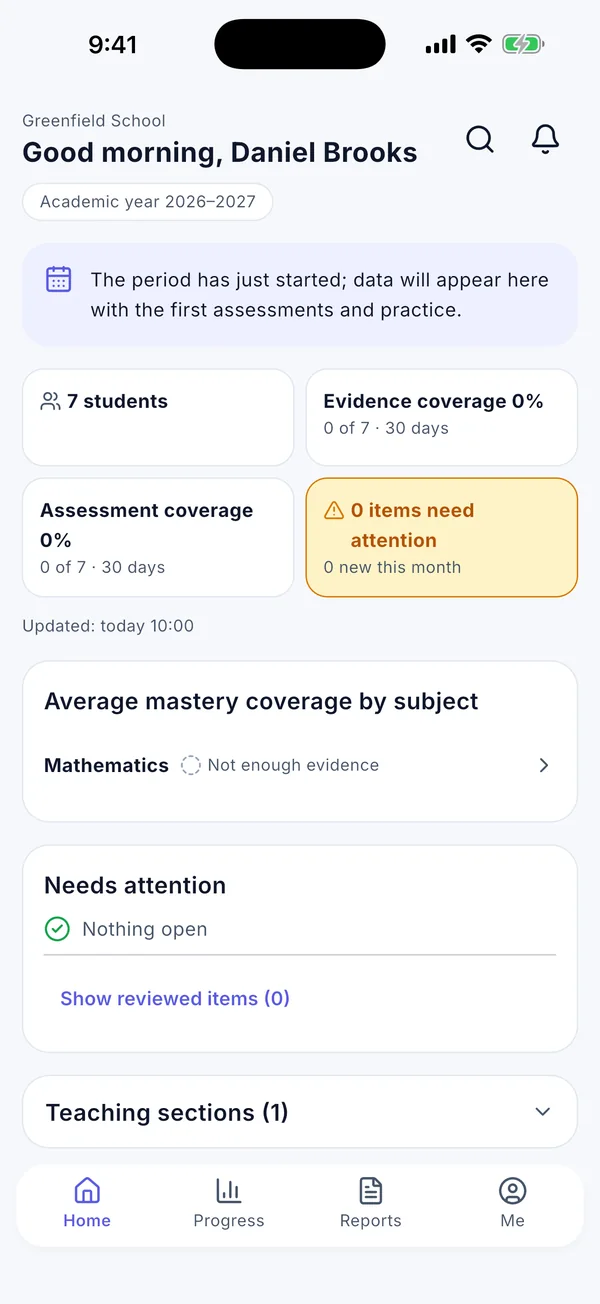
School manager home: students, coverage and items needing attention
School managers and groups

An overview of the school, and of every school in a group

  • An overview of your school by class and subject.
  • Follow participation and progress over time, with regular summaries.
  • A group that runs several schools sees each school’s totals side by side, never individual students.

Results you can trust

Every number in iTeach comes from the student’s own real answers. When there aren’t enough answers yet, the app doesn’t guess: it honestly says “not enough evidence”. AI never decides a score or a skill level.

Web admin panel

Set up and run your school from a browser

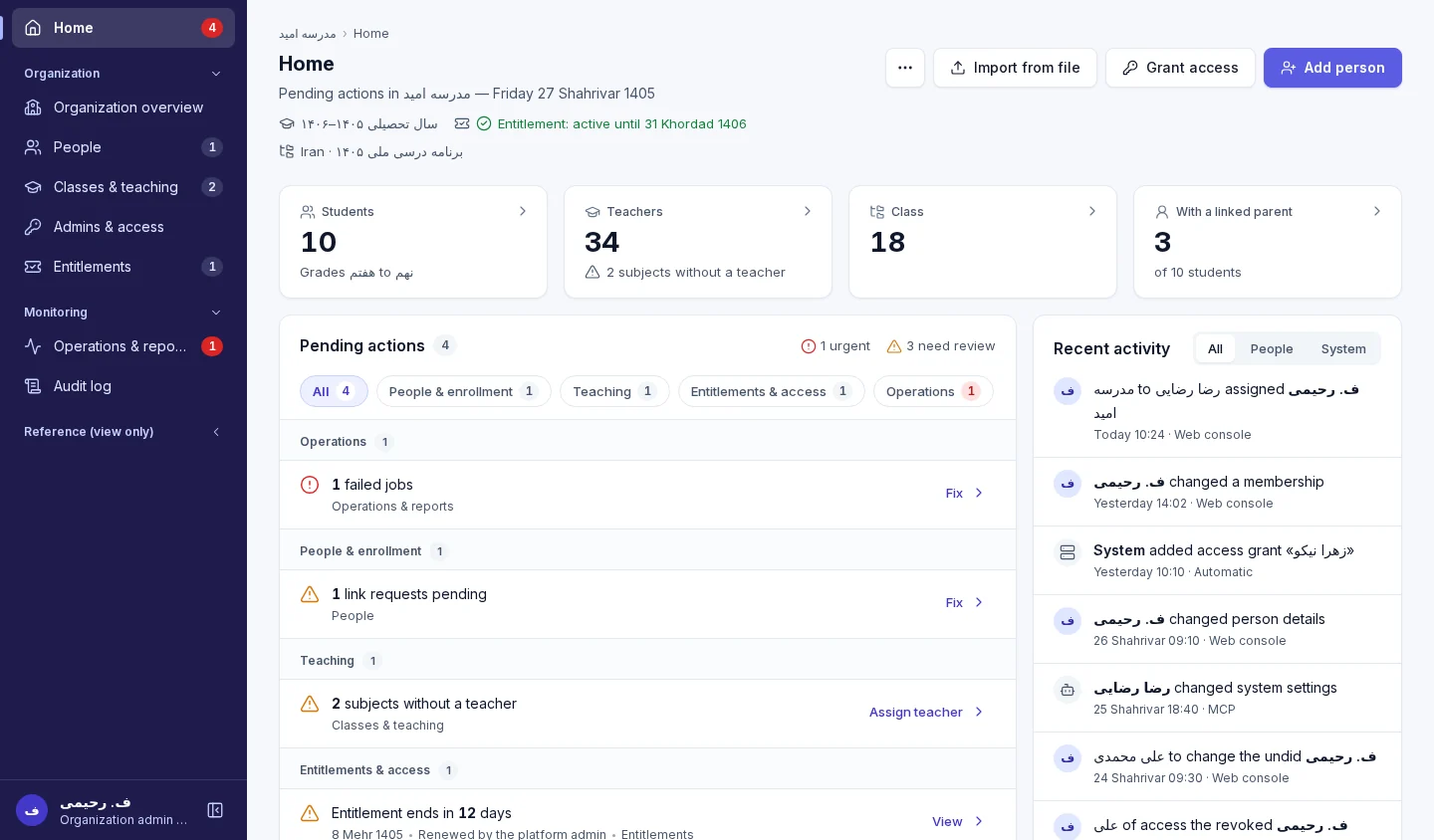
School admins create accounts, organise classes and teaching, and see everything that is waiting for them in one place.

A glimpse of the school web admin panel
A private admin panel for schools
  • AccountsCreate accounts for students, parents, teachers and managers, or import them from a file.
  • Classes and teachingClasses, subjects and the teacher of each subject in one place.
  • Pending actionsEverything that needs attention, each with a button to resolve it.
Children’s safety and privacy

Built for schools, with respect for children

Many iTeach users are children and teenagers. That is why it works this way from day one:

Data deleted on request

A student or their parent can ask for the account and its data to be deleted. The request is carried out after a short waiting period and stays on record.

No public profiles

No chat with strangers, no public profiles and no leaderboards.

The school creates accounts

There is no public sign-up. For a young student, the school confirms parental consent before the account is created.

Parents stay informed

Parents linked by the school see their child’s learning and reports.

Everyone sees only what they need

Teachers see only their own classes, parents only their own child, and a group of schools only each school’s totals. Each student’s information stays with the people who should have it.

Discreet notifications

Lock-screen notifications never show names, subjects or results; the details stay inside the app.

Read the full privacy policy

How to get started

Three steps to start

  1. The school contacts us

    A school or educational group gets in touch, and we set iTeach up for it.

  2. Accounts are created

    In the admin panel, the school creates accounts for students, parents, teachers and managers and hands out the sign-in details.

  3. Students and families install the app

    They install iTeach from the App Store or the Android file and sign in with the username and password the school gave them.

Does your school already use iTeach? Guides for schools (sign-in required)

Download the app

The iTeach app for iPhone and Android. Your school or institution creates your account.

Download on theApp StoreComing soon onGoogle Play

Android install file (APK)

Version 1.0.0 · about 99 MB · Android 7 or later

Download file
How to install the file
  1. Tap “Download file” and wait until the download finishes.
  2. Open the file. If your phone asks, allow your browser to “Install unknown apps”.
  3. Tap “Install”, then open the app.

When iTeach is on Google Play, install it from there for automatic updates (uninstall this version first).

File check (SHA-256): 19cea51ccc1cba27b3e26ae56d4a09338d4a0f182c89c8bc83a30e6511d055f3

Contact us

Let’s bring iTeach to your school

Write to us for an introduction, a demo session or a pilot in your school or education group.

  • An introduction for leaders and teachers
  • School setup and accounts
  • A pilot run

Email

iteach.edu.app@gmail.com
Write an email